
Step 01
01Talk & draw
Describe your office in the drawing form. See today and tomorrow with a preliminary tier and fee. Email us to request your service plan; no access to your systems is needed.
Example dataNo access needed
Sheet A-00 · Existing condition
We move your office’s files, logins and covered programs to a private cloud set up for your office, then run it. You pay, connect and approve. We handle the plan, build, copies, rehearsal and switch-over. Public fees. No sales call.
Scroll to redraw it
Sheet A-00 · Redrawing
Servers, firewall rules, connection, online backup and monitoring — with your company computers connected. Your plan says what moves, what is recreated and what stays.
Sheet A-00 · Proposed
This is the kind of plan you get free — today and tomorrow side by side, with a price and a timeline — before you pay anything.
General notes
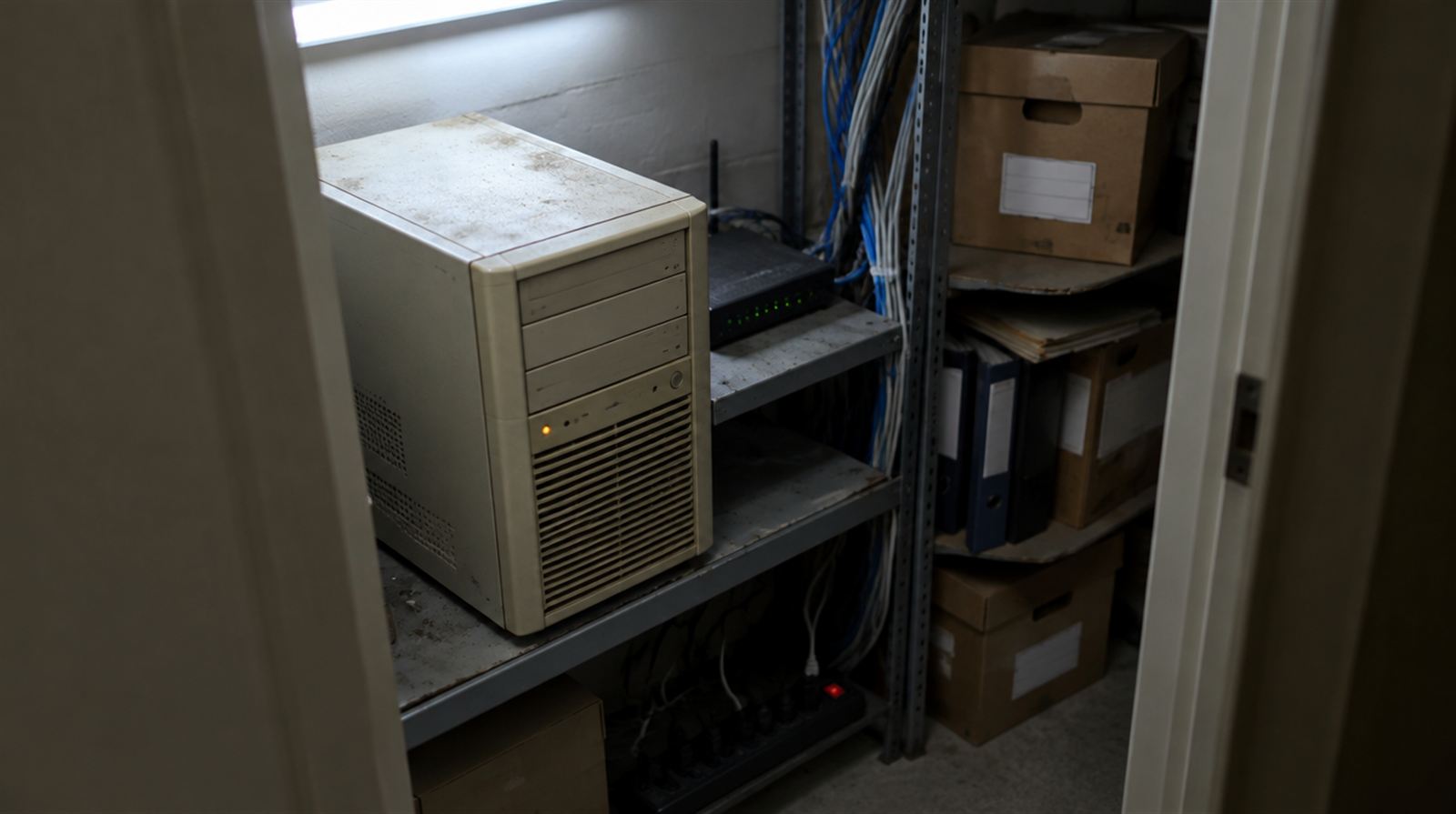
Sound familiar? You don't need a bigger IT guy. You need the closet gone — with everything it does still working on Monday.
This is where most IT companies would put a salesperson. We put a drawing: your office as it is, your office as it will be — with the price and the timeline written on it. We check your plan against our catalog before you see it.
Example plan. Yours is drawn from what you tell VNYX; a read-only scan confirms it after you reserve.
Sheet A-03 · Schedule of work
Describe your office in the drawing form. See today and tomorrow with a preliminary tier and fee. Email us to request your service plan; no access to your systems is needed.
Approve your plan, pick your move week and pay half to reserve. After you reserve, a read-only scan confirms your plan. We start building about 3 weeks before the move week you pick, after you approve the final plan. Accounting firms: no building or changes to your old server from January 1 through April 15.
Double-click the read-only scan program on your server. After you approve the final plan, double-click the separate migration agent and enter your code. We build about 3 weeks before your move week, copy your data and rehearse. You can follow the steps on your move page.
We rehearse first, then switch you over on the night you pick. We keep your old server, without erasing it, ready for a switch-back for up to 72 hours. Telling us “Everything works” closes that window early. If we need to go back, you turn the old server on when we ask; files are read-only for about 30 minutes. Some changes to your sign-in system cannot be undone. The second half is due when your move is complete.
Checks run on your setup around the clock — servers, backup, firewall, updates, unusual accounts — and alerts reach both of us. Support is Mon–Fri, 8 AM–8 PM ET, answered in writing; outside those hours we respond to outages.
Your monthly report records checks, restore-test results, updates and repairs. Today it is the activity history on your move page; the layout shown here is illustrative.
01 · VNYX
Reads your setup, drafts the plan or the change from a fixed catalog, and writes the preview in plain English.
02 · You
You approve the final plan before we build, and any later change to its scope or price cap. Routine repairs within it are recorded.
03 · Code
Code checks the draft first, then a pre-built action that's been tested before runs it — the same way, every time.
Your new setup runs in a private cloud set up for your office, on a network kept apart from every other client. We run it as your administrator, so you never have to open an admin console. And if you ever leave, it goes with you.
The higher of people or servers sets your tier.
Starting a new firm with nothing physical? Build from scratch is half the setup fee — from $950. Just one program that needs a server? Host a system: $490 setup.
Monthly · after the switch-over
Operation has a minimum of $450 a month per office. Servers, firewall and backup are billed at exactly what they cost, itemized. We earn on running it, not on reselling servers. Your first month after the switch-over — infrastructure and operation — is included in the setup fee.
$1,950 (50%)
$1,950 (the rest)
Tier by size, 1 server: Office · estimate · plus infrastructure at cost
Get the exact plan for 12 peopleYour client files and logins, with each server handled as your plan describes. We build after April 15, rehearse, then switch you over on your chosen night.
For accounting firms 02 · Insurance agenciesYour agency's server, firewall and backup moved as your plan describes, then run for you, with a restore test every month.
For insurance 03 · Law officesYour files in an environment dedicated to your firm, behind its own firewall when your plan calls for it.
For law offices
Fig. 2 — Proposed conditionIllustrative photo
Most small offices don't need a bigger IT company. They need the closet gone, a setup that's written down, and someone who answers for it.
We build and run the setup, rehearse the move and keep a record of checks and changes. You approve the plan and changes to its scope; we handle routine repairs within it.
That's also why the infrastructure is billed at exactly what it costs — we earn on running it, not on reselling servers — and why, if you leave, your environment and your data go with you. You shouldn't have to trust a person more than a process.
The fees are on this site. The plan is free. If it doesn't make sense for your firm, you'll know before you pay anything.
Operations & engineering
Use the free drawing form to compare today and tomorrow with a preliminary tier and fee. It needs no access to your systems and no card. The form keeps a local preview; email us to request a plan. We check the service plan before showing it.
No. Fees are public, the plan is online, the agreement is accepted online and you pay by bank debit or card. If you want to talk to a person, you can — but it's never required.
Your servers, data, private network and backups are dedicated to your firm. We run the setup as administrator. If you leave, give 30 days’ written notice and confirm the email link; we hand over the setup and records, with replacement connection costs shown first.
In a US data center, in an environment set up for your office only. Each month you pay two lines: the infrastructure — servers, disks, firewall, connection, backup — at exactly what it costs, itemized; and VNYX operation, $45 per person with a $450 minimum. We earn on running it, not on reselling servers.
After you reserve, a read-only scan confirms your plan. We start building about 3 weeks before the move week you pick, after you approve the final plan. We add a small connection app to each company computer through your domain policy. No router changes. It connects only to your new servers; your internet stays as it is. Company laptops can reach your files from anywhere with internet. Keep company computers on during the two weeks before the night; if one stays off throughout, we arrange a short screen share.
Computer and laptop troubleshooting and setup, network and Wi-Fi, printers and scanners, and connecting the equipment you already have. These local services are outside the cloud move. For these jobs at your Cape Cod or South Shore office, see our local office IT help. Phone systems are outside the listed services. Programs come along only on servers your plan copies disk by disk. File and sign-in servers are recreated; their programs do not come along. Your plan says what happens to each server and flags license or hosting restrictions. For a fresh server, you or your vendor set up the program with our guide.
The checks are. Your setup is verified around the clock — servers up and with room, backup done and restore tested, firewall rules, updates, unusual accounts, disks and certificates near their limits — and alerts go to us and to you. Anything that needs a person is answered in writing, Mon–Fri, 8 AM–8 PM ET. Outside those hours we respond to outages; anything else is answered the next business day. It isn't a 24/7 call center, and we won't tell you it is.
Support: Monday–Friday, 8 AM – 8 PM Eastern (ET). Outside those hours we watch your systems and respond to outages; anything else is answered the next business day. Write to contact@vnyxit.com.
Give us 30 days’ notice in writing, on your move page or by email, then confirm through the link we email you. Your office keeps running during the notice. We transfer your servers, data, private network and backups into your firm’s name, or copy them into your account if a direct transfer cannot work. We hand over administrator access, keys, your plan and the history of checks and restores. Shared VNYX services and the connection app do not transfer; we show the cost of your replacement connection before you confirm. No exit fee. Cancel before we start building for a full deposit refund, with nothing deducted, even if you have waited months. After building starts and before completion, we deduct only infrastructure already used, at exact cost. Your monthly price cap holds for 12 months from the switch-over night; anything above it needs your approval.
Yes. Tell us which version each server runs. The scan confirms it, and your final plan says what we can recreate, copy or cannot support yet.
We are based in Dennis Port. For hands-on help with office Wi-Fi, computers, printers, email and backups, book a separate local visit on Saturday 8–4 or Sunday 10–3, by appointment. Remote local sessions are weeknights 6:00–8:30 pm ET. See local office IT help, prices and booking.
Sheet A-11 · Start here
Two answers now, the rest on the next page. No call. No card. No access to your systems before you reserve.